When you go back to Direct Certification/Exempt, if there are still unmatched students, it will give a choice to reprocess the existing file or start over with a new import:
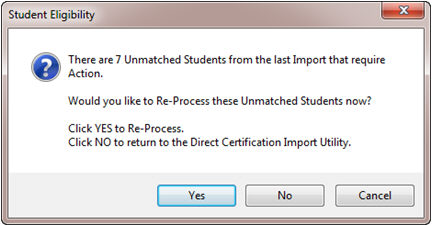
- If you click Yes, it will run the matching process again to refresh your data without deleting the unmatched data.
- If you click No, it will take you back to the Direct Cert Import screen so you can start over.
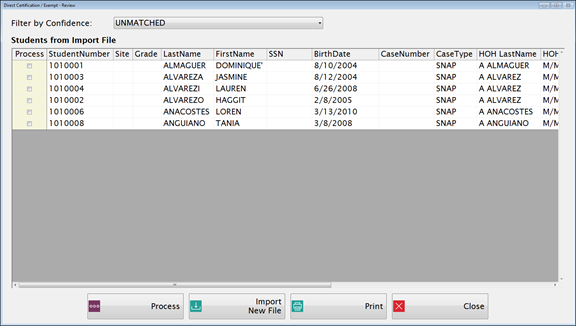
- Once you click Yes, the unmatched screen will appear.
-
Select the student(s) to be reprocessed by checking the box and clicking Process.
-
Click Import New File (this will delete any unmatched data) to start over by importing a new file.
-
Click Print to print a list of unmatched DC students to compare and match records easier.

- If you click No, it will take you back to the Direct Cert Import screen so you can start over.