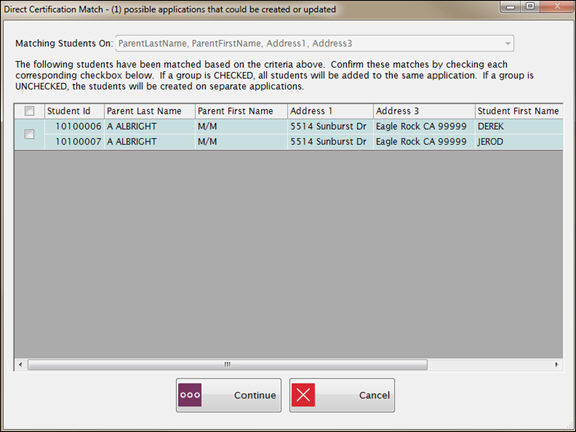
This screen selects students that may belong on the same application based on the Matching Students On dropdown list. Homeless, Migrant, Runaway and Headstart students will match households that same as a Direct Certification import does.
This screen will only appear when students from the DC import file match 100% on the students in Meals Plus on either SSN or student number.
Address 1 and Address 3 must be mapped in the DC import file for students to be matched on household. You can also use Parent First and Last Name, Address 1, 2 and 3 mapped fields to ensure more matches.
A student selected for verification cannot be grouped or have their application modified.
Only students with a current status of 2, 3 or 4 can be grouped on an application.
The Matching Students On dropdown is read-only, and will automatically select the fields based on the fields in the import file.
Check the grouping box(es) to add the matched students to one application. You can select all the recommended groupings, individual groupings or no groupings.
When you have made your selections, click Continue.

When it is finished, you will get message that summarizes the number of Direct Certs that were imported and the number that are still pending.
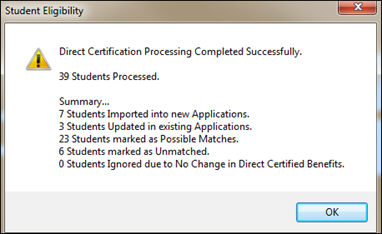
When you click OK, the Review Unmatched screen will open for you to continue processing.
©2019 EMS LINQ, Inc.
Student Eligibility, revised 7/2018