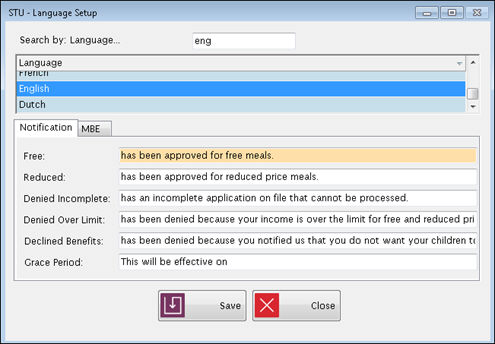
This screen allows you to customize the phrases that will be used in notification letters to explain the status codes.
The text shown on this screen will be automatically pulled into the letters as they are printed.
Highlight a Language to select it.
Select the Notification or MBE tab for the type of letter to create.
The text fields will automatically populate with phrases but they can be edited.
To edit the phrases, enter new information in the text fields and click Save.
©2019 EMS LINQ, Inc.
Student Eligibility, revised 7/2018